Product
Thinking in interfaces
Interfaces as the place where systems become usable
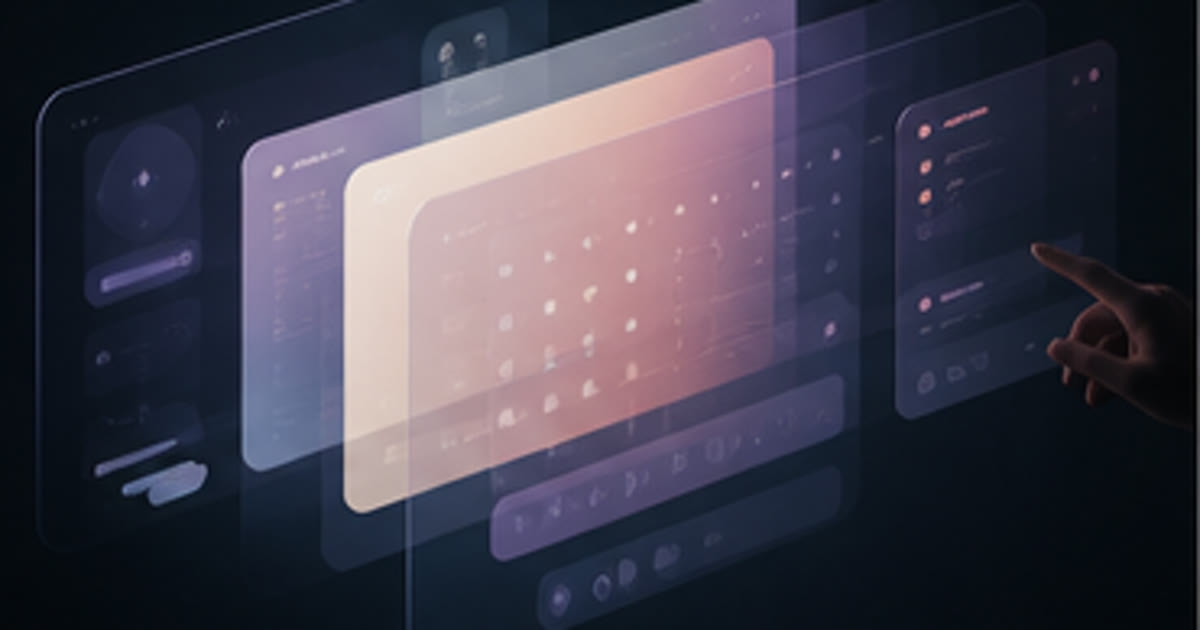
What the screen does not know
There is a moment in almost every product review where someone in the room says: "the system can do this, but users don't know about it." And then the conversation moves on. A new feature gets discussed. The roadmap advances. The limitation gets logged and forgotten.
That quiet admission is where most products go wrong.
The system can do it. But nobody knows. Nobody finds it. Nobody uses it. And so the capability disappears in practice, as completely as if it had never been built at all. The gap between what a system knows how to do and what a person actually does with it: that gap is an interface problem. And interface problems are product problems.
This is what April 2017 is focused on: not capability as a technical question, but capability as a navigational one. What can someone find? What can they understand well enough to trust? What is so buried, so labelled in the wrong vocabulary, so obscured by options, that the person gives up and goes elsewhere?
The useful question is not "what can we build?" It is "what will someone actually use, and what will they walk away from?"
The moment where systems meet people
An interface is a boundary. On one side is a system: its logic, its data, its states, its rules. On the other side is a person: their intent, their attention, their tolerance for confusion, their deadline.
The interface is where those two things meet, and the meeting does not go well by accident.
Systems are built to be complete. They account for edge cases, permission levels, data structures, validation logic. They try to handle every possible state. That thoroughness is useful internally. It is often hostile on the surface. The same completeness that makes a system robust tends to make it dense. Too many options. Too many fields. Too many paths to the same outcome. Too many ways to make the wrong choice.
People, by contrast, are not trying to explore a system. They are trying to do something specific, today, under time pressure, without reading a manual. They have a goal that exists entirely outside the software. The software is only in their way until it helps them move.
Good interface design is the discipline of resolving that tension without collapsing either side. The system does not simplify its rules to suit the person. The person does not learn to think like a database. Something else happens: the interface builds a representation of the system that a person can navigate intuitively. The complexity remains, but the exposure changes.
This is harder than it sounds. It requires genuine understanding of how people think, how attention moves, how confusion accumulates and how trust is extended or withdrawn.
Directing attention
The insight that keeps proving itself in practice is this: good software directs attention rather than overwhelming it with options.
This sounds modest. It is actually the core of the craft.
An interface that places everything in front of the user at once is not being generous. It is offloading its own decisions onto the person. It is saying: here is everything we built: you figure out which part matters. That is a failure of product thinking disguised as comprehensiveness.
Attention is not unlimited. It is a resource people spend, often without realising they are spending it. An interface that asks too many questions at once, that presents ten equally visible options when only one is right for this moment, that arranges navigation according to internal architecture rather than user intent: these designs burn attention fast. The person gets tired before they finish. They cut corners. They miss steps. They lose confidence in the tool.
The alternative is a product that makes a decision on behalf of the user. Not a paternalistic decision that removes control, but a considered one that says: given where you are, given what you have just done, given what most people in this position need next: here is the most useful thing. The other things are available, but they are quieter.
That act of quieting is more difficult to design than the act of displaying. Removing options requires confidence. Organising attention requires knowledge of the real workflow, not just the theoretical one.
What Orbit and TUXX are teaching
The tension between systemic complexity and navigable surface runs through everything being built under the MSG umbrella right now.
Orbit is an operating system for commercial execution. That is not a small scope. It covers the full arc from lead to launched product: proposals, briefs, delivery stages, client communication, decisions, review points, assets, all of it. Technically, that means a lot of states, a lot of data, a lot of relationships between things.
The interface challenge for Orbit is real: how do you make that operational depth feel like a clear surface rather than a sprawling dashboard? The answer is not to reduce the system. It is to build an interface that reveals what is relevant now, makes the next action obvious, and keeps the rest accessible without making it urgent.
That requires something close to product character. Orbit needs to behave like a colleague who knows what you are working on and helps you focus, not like a filing system that displays every folder at once.
TUXX operates on the same tension from a different angle. Delivering custom systems to real clients means confronting the interface problem in its most unforgiving form. Clients do not share the team's mental model. They come with their own vocabulary, their own assumptions about how things should behave, and their own limits for how much confusion they will tolerate before they stop using something.
Every TUXX engagement tests a hypothesis about what makes software navigable for people who did not build it. The feedback is immediate. If a system does not direct attention well, you know within days. People route around it, ask for workarounds, revert to spreadsheets. The friction makes itself visible in ways that a polished internal prototype never reveals.
This is why services work is genuinely instructive for product work. TUXX exposes the interface problems that internal teams often protect themselves from seeing.
The vocabulary problem
One of the most persistent interface failures is vocabulary.
Systems name things according to how they work. Products should name things according to how people think. Those two naming schemes rarely align without deliberate effort.
A field called "pipeline stage" makes sense to someone who built the CRM. A field called "where are we with this client?" makes sense to the person who has to update it at the end of a long day. These are not the same thing, even if they point at the same data.
The vocabulary problem is also an authority problem. When software uses its own language and users bring a different one, there is a conflict. Usually the software wins by default: the user is expected to learn the system's terms. But every piece of vocabulary the user has to translate before they can act is another opportunity to lose them. Another opportunity for the interface to generate friction instead of removing it.
Getting vocabulary right requires watching people actually use a product, not just surveying them afterwards. People describe their confusion in retrospect very differently from how they experience it in the moment. The moment of confusion is where the vocabulary problem reveals itself: the brief pause, the eyes moving between fields, the hesitation before clicking something uncertain.
The best interfaces borrow vocabulary from the person's existing world. They use the words people already have for their own work and apply those to the system. When that happens, the product feels intuitive, not because it is technically simple, but because it speaks a familiar language.
Navigability is not simplicity
There is a temptation, when thinking about interface problems, to conclude that the answer is simplicity. Remove things. Make it minimal. Strip the complexity away.
This is often wrong.
Navigability is not simplicity. A simple product can be deeply confusing if the path through it is not clear. A complex product can feel completely navigable if its layers are well ordered and its logic is consistent.
The question is not "how many options are there?" The question is "how quickly can the right person find the right path?"
That distinction matters for everything being built at MSG. These are not consumer applications trying to reach the lowest common denominator. They are operating systems for people doing serious work: commercial execution, custom delivery, performance development. The depth is the point. The complexity earns its existence because the underlying work is genuinely complex.
The interface job is not to pretend otherwise. It is to give the depth a structure people can learn, trust and rely on. A structure that rewards engagement rather than punishing it.
That is a higher standard than simplicity. It requires the interface to have a point of view. It requires product decisions that say: this is how this should work, and we are confident enough in that to build it deliberately rather than build it exhaustively and hope for the best.
The question the interface is always answering
Every interface is, at all times, answering a question on behalf of the person using it.
Sometimes the question is: what should I do next? Sometimes it is: what does this mean? Sometimes it is: where is the thing I came here to find? Sometimes it is: is this action safe, or will I regret clicking it?
An interface that answers those questions well disappears. The person does not notice they are navigating something designed. They just move. They do the thing they came to do. The work gets done. The meeting gets scheduled. The proposal gets sent. The status gets updated.
An interface that answers those questions badly becomes the thing the person is fighting, rather than the thing helping them work. And a person who is fighting their tools is a person who is not doing their best work.
That is the true cost of interface failure. Not confusion, exactly. Not frustration, exactly. But the slow drain on capability that happens when the tool is in the way. When clicking one button requires five clicks. When finding one number requires opening four screens. When the vocabulary forces translation at every step. Over a day, over a week, that accumulation of friction matters.
The goal of thinking in interfaces is to take that seriously. Not as a design exercise or an aesthetic preference, but as a capacity question. A well-built interface creates capability. A poorly built one quietly destroys it.
In April 2017, that belief is the anchor of how this portfolio is being built.